Follow the web without filling your inbox.
Google Alerts resends the same repetitive search links every day, even when nothing has changed. Watchlist AI tracks changes over time across broad web topics or specific URLs, comparing each check against previous runs and alerting you only when meaningful developments occur.
AI Infrastructure & Open Models
- Scheduled checks: A saved watch can search for recent information about your chosen topic.
- Source links: Reported findings include links to the pages they came from.
- Change-only alerts: A check with no meaningful update can stay quiet when that notification option is selected.
5 differences to consider when choosing a topic monitor
Google Alerts is useful for receiving matching search results by email. These differences matter when you also want summaries and watch history in an app.
1. Topic wording matters
Google Alerts matches new search results for the topic you enter and offers source, language, and region settings. You may need to refine the topic as your interests change.
2. Source quality needs checking
Any web search can surface pages of varying quality. Open the linked pages before acting on an alert or AI summary.
3. Email versus in-app history
Email alerts share your inbox with other messages. Watchlist AI keeps watch history in the app and offers optional push notifications.
4. Links versus a summary
An email alert may include several links about a related story. You still need to open and compare them to form a concise update.
5. Email versus app push
For updates you want to see on your phone, an in-app feed and optional push notification may be more convenient than email.
The 4 Pillars of AI-Native Web Monitoring
Instead of matching string literals, modern intelligence tools understand intent and synthesize results.
🧠 1. Semantic Understanding
Define your topic in natural English: "B2B SaaS companies announcing Series A or B funding rounds with AI agents". The AI understands the context and recognizes relevant events automatically.
🧹 2. Intelligent Deduplication
Repeated links to the same source are filtered. Related coverage from different pages can still appear separately.
⚡ 3. Executive AI Summaries
Choose a summary, brief, or bullets for text watches. Item watches show source-backed cards or lists.
📱 4. Mobile-First Notification Feed
Enable push notifications on iOS or Android and review a concise update in the app without opening an email client.
Google Alerts vs. Watchlist AI
Comprehensive breakdown between legacy email alerts and modern autonomous AI web tracking.
| Capability / Feature | Watchlist AI (Modern 2026) | Google Alerts (Legacy 2003) | RSS Readers |
|---|---|---|---|
| Search Method | Natural-language watch setup with AI-assisted search queries | Topic matching with configurable sources, language, and region | Pre-curated RSS feeds |
| Output Format | Summary or item list, depending on the watch | Email with matching results and links | Entries from selected feeds |
| Duplicate Filtering | Repeated source URLs filtered; related pages may remain separate | May include several pages about one topic | Depends on reader and filter settings |
| Delivery Channel | Optional mobile push after every check or on change | Email alerts | RSS reader or app |
| Source Verification | Links to reported source pages | Links to matching pages | Links to feed entries |
| Time to Value | Scan a concise update, then open its sources | Open matching results to assess context | Review feed entries as needed |
| Quiet Days | Change-only notification option | Emails when new matching results appear | Depends on feed activity and reader settings |
Top Watches Migrated from Google Alerts
Tap any preset to see how plain English queries replace complex Boolean search strings.
Competitive Intelligence & Pricing
Feature rollouts, pricing tier shifts, and executive hiring across rivals.
Startup Funding & M&A Activity
Seed rounds, Series A/B financings, and acquisitions in tech.
Regulatory Compliance & Policy
SEC rulings, FDA approvals, and antitrust legislation.
Cybersecurity Vulnerabilities
Critical CVEs, zero-day disclosures, and cloud exploits.
Synthesized Intelligence on iOS and Android
4 simple steps to upgrade from Google Alerts to Watchlist AI.
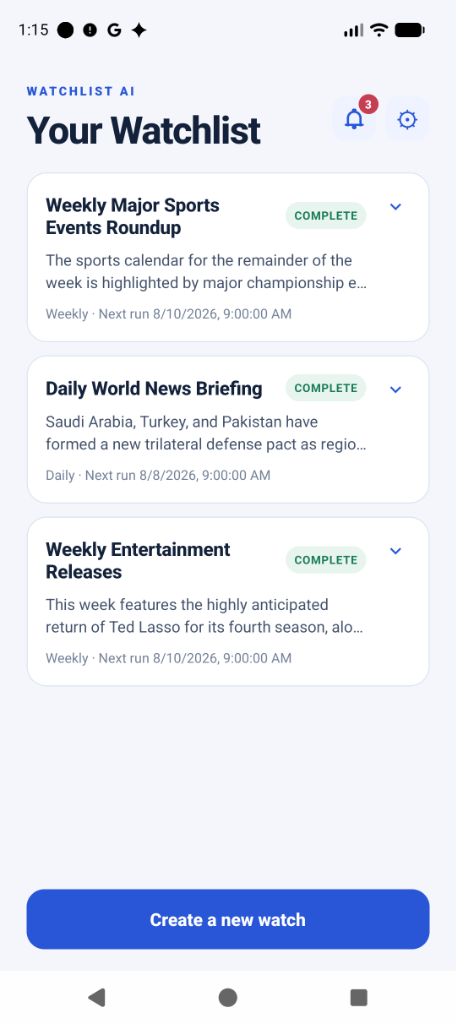
1. Centralized Topic Radar
Keep all your recurring topics organized in one clean feed.
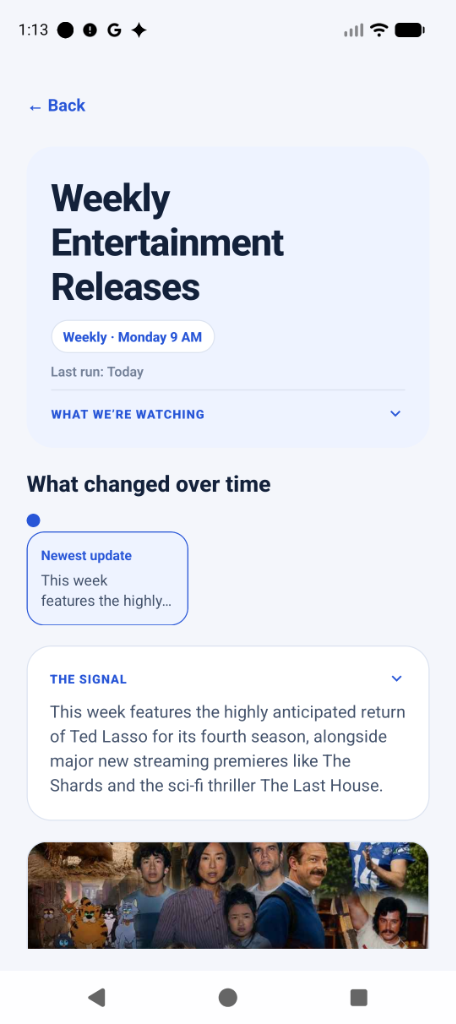
2. 3-Bullet AI Takeaway
Watchlist AI distills the signal and explains why it matters to you.
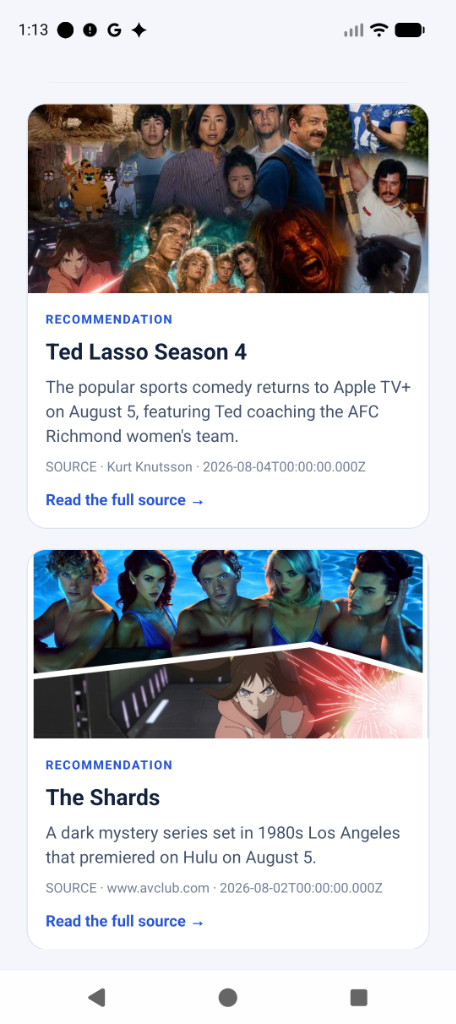
3. Source Links
Open the linked pages to inspect reported findings yourself.
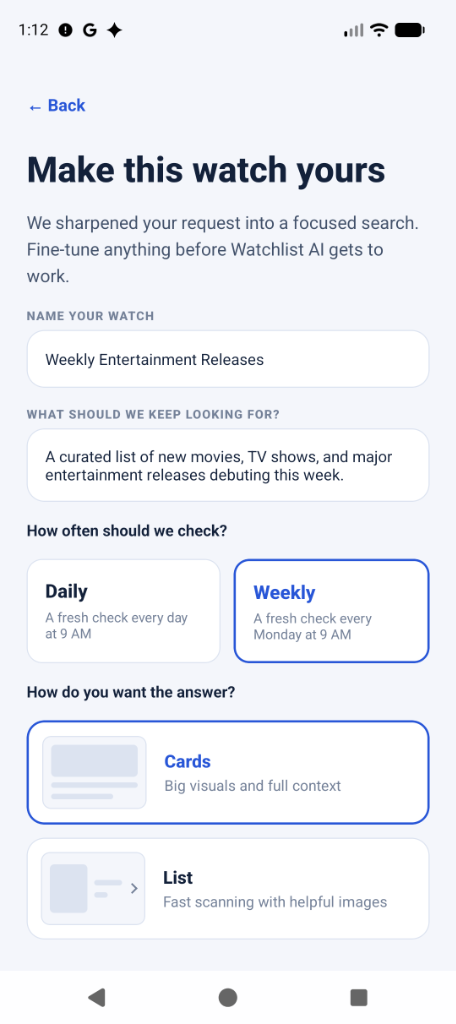
4. Plain English Queries
Type your watch prompt naturally without complex search operators.
Everything You Need to Know About Switching
Can I move a Google Alert topic to Watchlist AI?
You can create a watch for many of the same topics in natural language. Search coverage and delivery differ, so compare the results before replacing an alert you rely on.
How can I verify an AI summary?
Watchlist AI summarizes retrieved web pages and links to the reported sources. Open those pages to check important details; AI summaries can still make mistakes.
Does Watchlist AI send email alerts or push notifications?
Watch updates appear in the iOS and Android apps. You can enable push notifications for every check or only meaningful changes. Account recovery may still use email.
Is Watchlist AI free to use?
Yes. A free plan lets you create watches and run a first check, subject to the limits shown in the app. Optional Pro subscriptions allow more watches and manual reruns.
How is this different from asking ChatGPT or Perplexity?
Watchlist AI saves a recurring search and runs it daily or weekly. You can choose a push alert after every check or only when a meaningful change is detected.
Try a scheduled watch with source-backed updates
Set up your first topic watch in a few steps and read its updates in the iOS or Android app.
